How does IPTV work in 2026 is the question every curious cord-cutter asks before making the switch from cable. You have heard the term, you know it involves internet and television, but the actual mechanics feel vague enough to create hesitation when it comes to trusting it with your daily viewing.
The honest answer is that IPTV is simpler than it sounds and easier to understand than most technical explanations make it seem. If you have ever watched Netflix, you already understand the core concept behind IPTV because the underlying technology is essentially identical.
This guide explains exactly how IPTV works in 2026 in plain language with no jargon, no unnecessary technical depth, and no assumption that you have any prior knowledge of networking or broadcasting infrastructure.
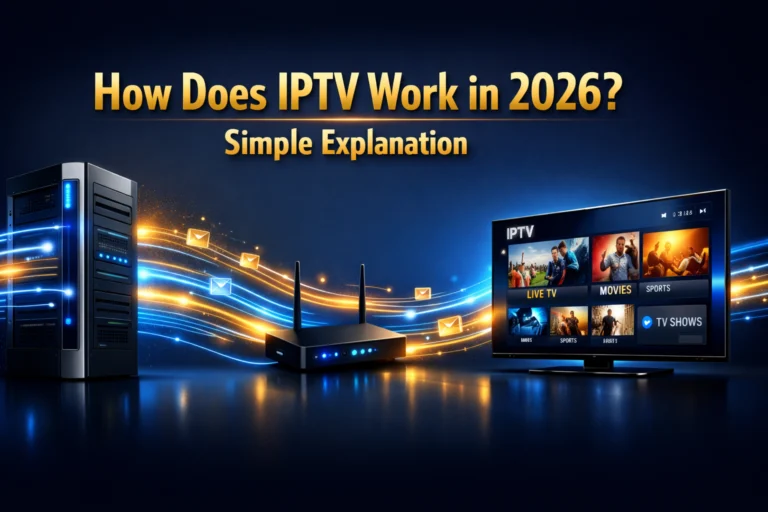
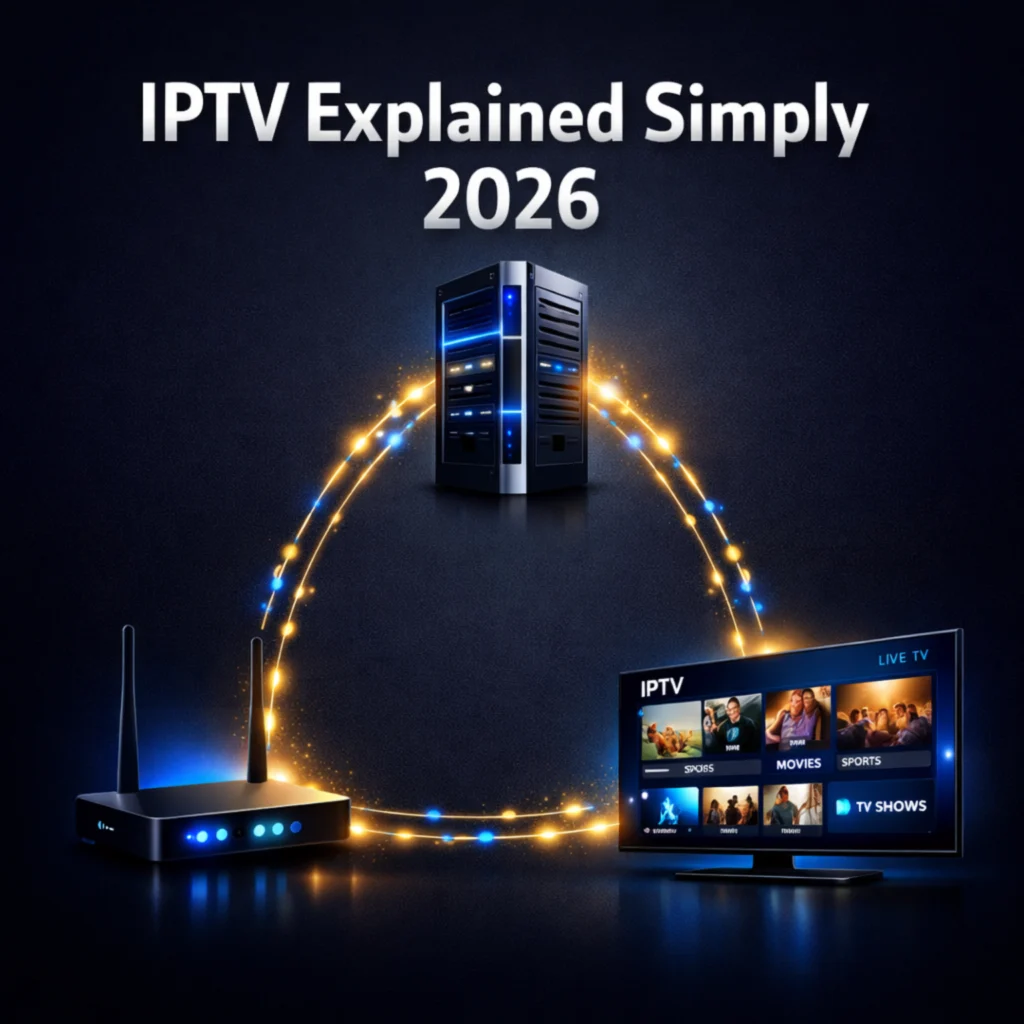
IPTV works in 2026 by delivering television content through your internet connection instead of a cable wire or satellite dish. A provider stores live channels and video content on powerful servers. When you press play on any channel, those servers send the video data as packets through your internet connection to your device, where your IPTV player app reassembles and displays them as a smooth video stream. The entire process happens in under two seconds on a quality connection.
Table of Contents
What IPTV Actually Means in 2026
Before explaining how IPTV works, understanding what the term actually means removes the confusion that most people carry into their first encounter with it. IPTV stands for Internet Protocol Television, and every word in that phrase tells you something important about how the technology functions.
Internet Protocol is the set of rules that govern how data travels across the internet. Every time you load a webpage, send an email, or stream a video, that data travels according to internet protocol rules that determine how it gets packaged, addressed, routed, and delivered to its destination. Your internet connection speaks this language natively, which is why IPTV works on any device with an internet connection without requiring any special hardware beyond what you already own.
Television in the IPTV context means exactly what it does in the traditional sense: live channels, scheduled programming, sports broadcasts, news, and entertainment content. The television part of IPTV is familiar. Only the delivery mechanism is different from what most people grew up with.
Put together, IPTV simply means television delivered through internet protocol rather than through a broadcast antenna, cable wire, or satellite dish. The content is the same. The quality is the same or better. Only the pipe carrying it to your screen has changed, and that pipe is the same internet connection you already use for everything else in your digital life.
This is why comparing IPTV to Netflix is the most accurate quick explanation available. Netflix is an IPTV service in the technical sense of the term. It delivers video content through internet protocol to your device. The difference between Netflix and a premium IPTV subscription is that IPTV adds live television, sports, and thousands of channels alongside the on-demand content that Netflix exclusively provides.
How IPTV Works Step by Step in 2026
Understanding the step-by-step journey that a television signal takes from a broadcast source to your screen through IPTV demystifies the technology completely and gives you confidence in how reliable and well-established the infrastructure actually is.
The journey begins at the content source. A live football match, a news broadcast, or a film is generated at a studio, stadium, or production facility exactly as it always has been. That content is then encoded into a digital format optimised for internet delivery, a process called transcoding, which compresses the video and audio into a stream small enough to travel efficiently across internet infrastructure without losing meaningful quality.
The encoded stream travels to the IPTV provider’s servers, which are powerful computers housed in data centres with high-speed internet connections. These servers store the stream and simultaneously distribute it to every subscriber who requests that channel at any given moment. A provider with 10,000 subscribers watching the same live match is sending 10,000 simultaneous copies of the same stream from their servers, which is why server quality and capacity are so critical to a good IPTV experience.
When you open your IPTV player app and select a channel, your device sends a request to the provider’s server asking for that specific stream. The server receives your request, authenticates your subscription credentials to confirm you are a paying subscriber, and begins sending the video data to your device as a continuous stream of small data packets.
Your internet connection carries those packets from the server to your device. Your IPTV player app receives them, reassembles them in the correct order, decodes the compressed video and audio, and displays the result on your screen as a smooth, continuous video stream. The entire sequence from pressing play to seeing the first frame takes between one and three seconds on a quality connection with a good provider.
The Technology Behind IPTV in 2026
Several specific technologies work together under the surface of every IPTV experience, and understanding them briefly helps you make better decisions about providers, apps, and troubleshooting when something does not perform as expected.
Xtream Codes is the most widely used IPTV middleware system in 2026. It is the software layer that manages the relationship between provider servers and subscriber devices, handling authentication, channel organisation, EPG data, and VOD catalogue delivery. When you receive login credentials from an IPTV provider consisting of a server URL, username, and password, those credentials are connecting to an Xtream Codes system. Understanding this explains why the same credentials work across multiple different IPTV player apps simultaneously.
M3U playlists are the second major technical format you encounter when using IPTV. An M3U file is essentially a text document containing a list of stream URLs, each pointing to a specific channel or piece of content on the provider’s servers. When you load an M3U playlist into a compatible IPTV app, the app reads the list and presents the channels in an organised interface. M3U is the simpler of the two formats and works with a wider range of player apps, though Xtream Codes provides more features including EPG integration and VOD library access.
For a deeper understanding of how these two systems work and which one is right for your setup, this plain-language guide to what Xtream Codes is and how it works covers both formats in detail without requiring any technical background to follow.
CDN stands for Content Delivery Network and it is the infrastructure layer that makes global IPTV delivery fast and reliable. Rather than serving all subscribers from a single server location, quality providers distribute their content across multiple server locations around the world. A subscriber in the United States receives their stream from a server close to them geographically, while a subscriber in the United Kingdom receives the same stream from a server closer to their location. This geographic distribution reduces the distance data travels, which reduces latency and improves stream stability for every subscriber regardless of location.
What You Need for IPTV to Work in 2026
One of the most appealing aspects of IPTV in 2026 is how little new equipment you need to get started. In almost every case, you already own everything required to receive a high-quality IPTV service today without spending anything on hardware.
A stable internet connection is the only true requirement. For HD streaming, a connection of at least 10 Mbps is the practical minimum. For 4K streaming you need 25 Mbps or above. For households running multiple simultaneous streams, 50 Mbps or higher ensures every screen stays buffer-free during peak viewing hours. Most home internet connections in 2026 exceed these thresholds comfortably.
A compatible device is the second requirement, and the list of compatible devices covers essentially everything modern consumers already own. Firestick, Android TV box, Samsung Smart TV, LG Smart TV, iPhone, Android phone, iPad, Android tablet, Windows PC, Mac, and Chromecast all support IPTV apps natively in 2026. You do not need to buy any new device to get started unless you choose to upgrade your viewing hardware for a better picture quality experience.
An IPTV player app installed on your chosen device is the third requirement. TiviMate, IPTV Smarters Pro, and GSE Smart IPTV are the three most widely used and most reliable player apps in 2026. All three are free to download and support both Xtream Codes and M3U connections. For a comparison of which app performs best on each specific device, this guide to the best IPTV player apps in 2026 covers every platform with specific recommendations.
An IPTV subscription from a quality provider is the final requirement. This provides the server access and credentials that connect your player app to the content library. Without a subscription, the player app has nowhere to connect. With one, the entire channel library and VOD catalogue become available immediately after entering your credentials.
Why IPTV Quality Has Improved So Much in 2026
The quality gap between IPTV and traditional cable or satellite television has closed dramatically over the past three years, and in several measurable ways IPTV now delivers a superior viewing experience to its broadcast alternatives in 2026.
Server infrastructure investment has been the primary driver. The largest IPTV providers in 2026 operate server networks comparable in scale and sophistication to mid-tier streaming platforms. Redundant server clusters, automated failover systems, and load-balancing algorithms ensure that subscriber experience during peak hours is maintained even when individual servers experience technical issues.
Video encoding technology has improved significantly in parallel with server infrastructure. The AV1 codec, now widely adopted by leading providers in 2026, delivers the same visual quality as older encoding formats at approximately 30% lower bandwidth consumption. This means 4K HDR streams that previously required 35 Mbps connections now deliver equivalent quality at 25 Mbps, making premium IPTV accessible to a wider range of home internet connections than ever before.
Anti-freeze technology has become standard at quality providers rather than a premium feature. This system pre-buffers small segments of the stream ahead of the current playback position, creating a buffer reservoir that absorbs brief server hiccups before they reach your screen as visible freezing or pixelation. The result is a viewing experience that feels as smooth as the best cable packages even when server load spikes during major live events.
EPG accuracy has also improved substantially. The electronic programme guide in a quality IPTV service in 2026 updates in real time, matches the actual broadcast schedule exactly, covers 7 to 14 days of upcoming programming, and integrates with catch-up TV so you can access content you missed without searching for it manually.
Common IPTV Questions Explained Simply
Most questions people have about how IPTV works come down to practical concerns about their specific situation rather than abstract technical curiosity. Answering the most common practical questions removes the last remaining hesitation for most people considering making the switch.
Why does IPTV sometimes buffer?
Buffering occurs when your device is receiving stream data more slowly than it needs to play the video smoothly. The most common causes are a weak WiFi signal between your router and streaming device, an internet connection temporarily dropping below the minimum speed required for the stream quality you selected, or a provider server experiencing high load during a peak viewing period. Most buffering issues are fixable on the subscriber side through simple adjustments to WiFi positioning, DNS settings, or app buffer size configuration.
How is IPTV different from streaming apps like Netflix?
Netflix and similar services are video on demand platforms, meaning they offer pre-recorded content that you watch whenever you choose. IPTV adds live television to that on-demand model, giving you thousands of channels broadcasting in real time alongside a VOD library. A quality IPTV subscription delivers both live TV and on-demand content in a single package that no individual streaming app currently replicates.
Can IPTV be recorded?
Yes, premium IPTV player apps including TiviMate Premium support recording functionality that saves live streams directly to a connected USB storage device. This lets you record live sports and television programmes for later viewing exactly as a traditional digital video recorder does, adding another layer of flexibility to your IPTV viewing experience.
Does IPTV work without WiFi?
IPTV requires an internet connection but does not specifically require WiFi. A wired ethernet connection between your router and streaming device delivers the most stable IPTV experience possible because it eliminates the signal degradation and interference that WiFi connections can experience. Mobile data connections also work for IPTV on smartphones and tablets, though data consumption can be significant for extended viewing sessions.
Frequently Asked Questions
How does IPTV work in 2026?
IPTV works by delivering television content through your internet connection instead of a cable wire or satellite dish. A provider stores live channels and video content on powerful servers. When you select a channel, those servers send video data as packets through your internet connection to your device, where your IPTV player app reassembles and displays them as a smooth video stream within one to three seconds of pressing play.
What internet speed do I need for IPTV in 2026?
For HD streaming you need at least 10 Mbps dedicated to the stream. For 4K content you need 25 Mbps or above. If multiple screens in your household stream simultaneously, 50 Mbps or higher ensures every device stays buffer-free during peak viewing hours. Most home broadband connections in 2026 comfortably exceed the minimum requirements for HD IPTV streaming.
What device do I need to watch IPTV in 2026?
You can watch IPTV on any device with an internet connection and a compatible app. This includes Firestick, Android TV box, Samsung Smart TV, LG Smart TV, iPhone, Android phone, iPad, Windows PC, Mac, and Chromecast. You almost certainly already own at least one compatible device and can get started today without purchasing any new hardware.
Is IPTV the same as Netflix?
Netflix is technically a form of IPTV because it delivers video content through internet protocol. The key difference is that Netflix offers only on-demand content while a premium IPTV subscription adds live television, sports channels, and thousands of live broadcasts alongside a comparable on-demand library. IPTV gives you everything Netflix offers plus live TV under a single monthly payment.
Why does IPTV buffer and how do I fix it?
IPTV buffers when stream data arrives more slowly than needed for smooth playback. The most common causes are weak WiFi signal, insufficient internet speed, or provider server load during peak hours. Fixes include moving your router closer to your streaming device, switching to a wired ethernet connection, changing your DNS settings to a faster public server, or increasing the buffer size in your IPTV player app settings.
IPTV in 2026 Is Simpler Than You Ever Expected
How does IPTV work in 2026 has a genuinely simple answer: your internet connection replaces your cable wire, a quality server replaces the broadcast tower, and a free app on the device you already own replaces the cable box you rent every month. The result is more channels, better picture quality, and a monthly bill that is a fraction of what cable charges for a worse experience.
The technology has matured to the point where the daily experience of using a quality IPTV subscription in 2026 is smoother, more reliable, and more feature-rich than traditional cable television. Test it free for 24 hours today and experience the difference for yourself before spending a single dollar on a subscription.