Best VPN for TiviMate users in 2026 is essential for secure, unrestricted IPTV streaming. As an IPTV and security expert who’s tested dozens of VPN providers with TiviMate across multiple platforms, I’m sharing everything you need to know about protecting your streaming activity while maximizing performance.
Whether you’re streaming on Firestick, Android devices, or Windows, this comprehensive guide covers the top VPN options, setup procedures, and troubleshooting tips for optimal TiviMate performance.
Table of Contents
Why You Need the Best VPN for TiviMate
TiviMate has become the premium IPTV player for millions of cord-cutters worldwide. However, streaming IPTV content without proper protection exposes you to significant risks and limitations.
Here’s why using a VPN with TiviMate isn’t optional anymore: your ISP monitors and logs every streaming session, geographic restrictions block premium content in many regions, bandwidth throttling ruins your viewing experience during peak hours, and IPTV service providers collect detailed usage data about your habits.
A quality VPN transforms your TiviMate experience by encrypting your entire connection, masking your real IP address from operators and third parties, bypassing ISP throttling for smoother streaming, and unlocking geo-restricted content globally.
Understanding TiviMate and VPN Compatibility
TiviMate operates as an IPTV player rather than a content provider. It requires M3U playlist URLs or Xtream Codes API credentials from your IPTV service. This architecture means TiviMate works seamlessly with VPNs since the encryption happens at the system level.
The player supports all major platforms including Android devices, Amazon Fire TV and Firestick, NVIDIA Shield, Android TV boxes, and Windows computers. If you’re setting up TiviMate on Windows, check our detailed guide on how to install TiviMate on Windows 11 for step-by-step instructions.
Many users ask about streaming on other platforms. Unfortunately, Roku doesn’t have TiviMate available, making it less ideal for TiviMate users who need the flexibility this player offers.
Top 5 Best VPN for TiviMate in 2026
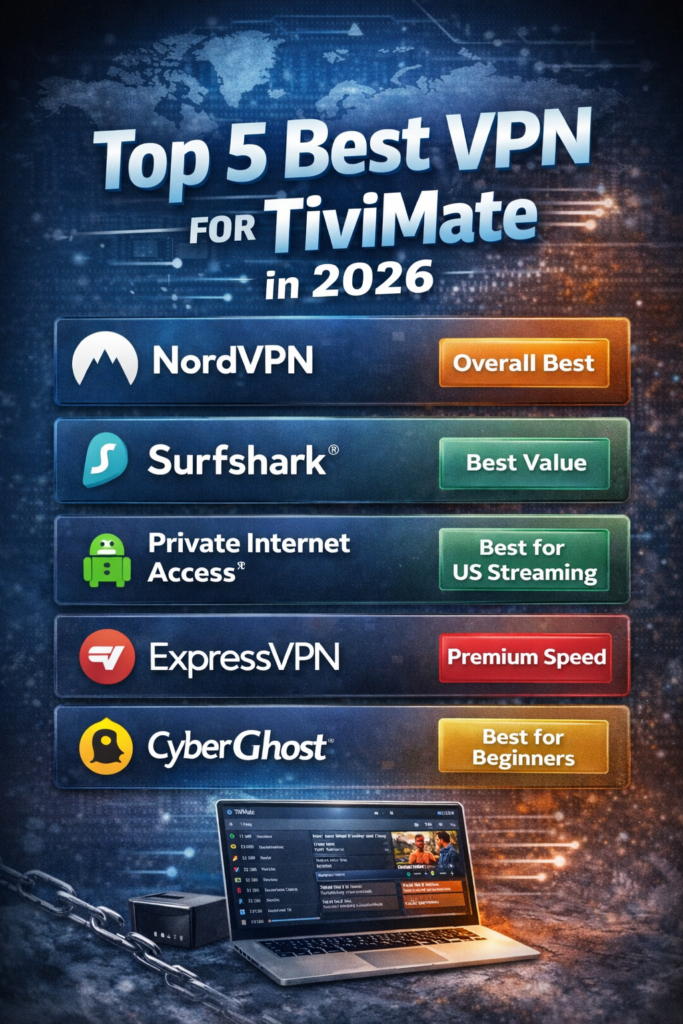
1. NordVPN – Overall Best VPN for TiviMate
NordVPN consistently ranks as the best VPN for TiviMate thanks to its proprietary NordLynx protocol delivering exceptional streaming speeds. The provider operates 8,900+ RAM-only servers across 129 countries, ensuring reliable connections worldwide.
Key Features for TiviMate Users:
- NordLynx protocol optimized for 4K streaming
- No-logs policy audited by independent security firms
- Threat Protection blocks ads and malicious trackers
- Obfuscated servers bypass VPN detection
- Double VPN for enhanced privacy
- Dedicated IP addresses available
- 6 simultaneous device connections
- 30-day money-back guarantee
- 24/7 customer support
NordVPN handles TiviMate streaming in ultra-HD without buffering. The SmartPlay feature automatically connects to the optimal server for your IPTV service, eliminating manual configuration.
Pricing: Starting at $3.39/month on long-term plans with regular promotions offering up to 70% savings.
2. Surfshark – Best Value VPN for Unlimited Devices
Surfshark delivers exceptional value as the best VPN for TiviMate households with multiple devices. Unlimited simultaneous connections mean every family member streams securely on their preferred device.
Key Features for TiviMate Users:
- Unlimited device connections per account
- WireGuard protocol for maximum speed
- CleanWeb feature blocks ads and malware
- Camouflage Mode hides VPN usage from ISPs
- MultiHop chains VPN servers for extra security
- GPS spoofing on Android devices
- NoBorders mode bypasses strict restrictions
- 30-day money-back guarantee
- 24/7 live chat support
Surfshark maintains consistently fast speeds across its 3,200+ servers in 100+ countries. The WireGuard implementation ensures TiviMate streams load instantly with minimal latency.
Pricing: Plans start around $2.19/month with frequent promotional discounts making it the most budget-friendly premium option.
3. Private Internet Access (PIA) – Best for US TiviMate Streaming
Private Internet Access excels for American IPTV enthusiasts with servers in every US state, including dedicated streaming-optimized servers on both coasts. This extensive coverage unlocks local content and regional sports broadcasts nationwide.
Key Features for TiviMate Users:
- Servers in all 50 US states
- Customizable encryption levels (128-bit or 256-bit AES)
- MACE feature blocks ads and tracking
- Port forwarding for improved P2P performance
- Split tunneling for selective routing
- 10 simultaneous connections
- Proven no-logs policy
- 30-day money-back guarantee
- Open-source applications
PIA’s adjustable encryption lets you prioritize speed over maximum security when streaming on slower networks. Switching to 128-bit AES reduces overhead while maintaining strong protection.
Pricing: Around $2.03/month on extended plans, making it extremely competitive for the feature set offered.
4. ExpressVPN – Premium Speed Leader
ExpressVPN justifies its premium pricing with industry-leading speeds and rock-solid reliability. The proprietary Lightway protocol outperforms competitors in latency and connection stability.
Key Features for TiviMate Users:
- Lightway protocol optimized for streaming
- 3,000+ servers in 105 countries
- MediaStreamer Smart DNS for devices without VPN apps
- Threat Manager blocks tracking
- Network Lock kill switch
- 8 simultaneous connections
- Split tunneling on select platforms
- 30-day money-back guarantee
- Outstanding 24/7 support
ExpressVPN consistently accesses geo-restricted IPTV services even when competitors fail. The MediaStreamer feature enables VPN protection on smart TVs and gaming consoles that don’t support native VPN apps.
Pricing: Starting around $6.67/month on annual plans. While pricier than alternatives, the performance justifies the investment for serious streamers.
5. CyberGhost – Best User-Friendly Option
CyberGhost removes complexity with dedicated streaming servers pre-configured for optimal IPTV performance. Beginners appreciate the one-click connections while advanced users benefit from comprehensive customization options.
Key Features for TiviMate Users:
- Dedicated streaming servers for major IPTV platforms
- 11,500+ servers in 100 countries
- Smart Rules automate VPN connections
- Content Blocker removes ads and malware
- NoSpy servers in Romania for maximum privacy
- 7 simultaneous connections
- 45-day money-back guarantee
- User-friendly apps on all platforms
- 24/7 customer support
The Smart Rules feature automatically connects to your preferred server when launching TiviMate. You can configure it to open TiviMate immediately after connecting to a specific server location.
Pricing: Plans start at approximately $2.03/month with extended subscriptions, offering excellent value for the extensive server network.
Essential Features in the Best VPN for TiviMate
Not all VPNs work equally well with TiviMate. When evaluating options, prioritize these critical features:
High-Speed Performance: IPTV streaming demands consistent bandwidth. The best VPN for TiviMate maintains speeds above 100 Mbps on nearby servers, ensuring 4K streams play without buffering or quality drops.
Extensive Server Network: More servers mean better load distribution and easier access to geo-restricted content. Look for providers with 1,000+ servers across 50+ countries minimum.
Strong Encryption Standards: AES-256 encryption protects your streaming data from interception. Verify the VPN implements proper encryption protocols like OpenVPN, WireGuard, or IKEv2/IPsec.
Verified No-Logs Policy: Your VPN shouldn’t record what you stream. Choose providers with independently audited no-logs policies, preferably based in privacy-friendly jurisdictions.
Kill Switch Protection: Network interruptions expose your real IP address without kill switch protection. This feature immediately blocks internet access if your VPN connection drops.
DNS Leak Protection: DNS leaks reveal your browsing activity despite VPN encryption. Built-in DNS leak protection ensures all DNS queries route through encrypted VPN servers.
Multiple Device Support: Most households stream on phones, tablets, computers, and TV devices simultaneously. Select VPNs offering 5+ simultaneous connections or unlimited devices.
24/7 Customer Support: Technical issues require immediate assistance. Quality VPN providers offer round-the-clock live chat support with knowledgeable technicians.
How to Setup the Best VPN for TiviMate: Complete Guide
Setting up a VPN for TiviMate takes just minutes. Follow this comprehensive walkthrough for any device:
General Setup Process
Step 1: Choose Your VPN Provider Select from our top recommendations based on your priorities. NordVPN offers the best overall performance while Surfshark provides maximum value for multiple devices.
Step 2: Subscribe and Download Visit the VPN provider’s website, choose your subscription plan, and download the appropriate app for your device. Most providers offer direct downloads for Android, iOS, Windows, and macOS.
Step 3: Install the VPN Application Run the installer and follow the on-screen prompts. Android users can install directly from Google Play Store. Firestick users should use the Downloader app or follow device-specific installation guides.
Step 4: Login and Configure Open the VPN app, enter your credentials, and customize settings. Enable the kill switch and DNS leak protection in the app settings for maximum security.
Step 5: Connect to a Server Select a server location based on your needs. Choose nearby servers for maximum speed or specific countries to access geo-restricted content.
Step 6: Launch TiviMate Open TiviMate after establishing your VPN connection. Your IPTV traffic now travels through encrypted VPN servers, protecting your privacy and bypassing restrictions.
Platform-Specific Instructions
For Android Devices and Fire TV:
- Install your chosen VPN from Google Play Store or Amazon App Store
- Launch the VPN app and sign in
- Enable automatic connection on device startup in settings
- Connect to your preferred server location
- Minimize the VPN app (leave it running)
- Open TiviMate and start streaming
For Windows 11 Users: Windows offers the most flexibility for TiviMate installations. Our comprehensive guide on installing TiviMate on Windows 11 covers the complete process including VPN configuration specific to Windows environments.
For NVIDIA Shield and Android TV Boxes:
- Navigate to Google Play Store
- Search for your VPN provider
- Install and launch the app
- Configure auto-connect settings
- Select optimal server location
- Keep VPN running in background
- Launch TiviMate normally
Important Note: Some platforms like Roku don’t support TiviMate natively. If you’re wondering does Roku have TiviMate, unfortunately it’s not available on this platform, making Fire TV or Android boxes better choices for TiviMate users.
Optimizing VPN Settings for TiviMate Performance
Proper configuration dramatically improves your streaming experience. Apply these optimization tips:
Protocol Selection: WireGuard and NordLynx deliver the fastest speeds with strong security. Use these modern protocols instead of older OpenVPN configurations when available.
Server Selection Strategy: Connect to servers geographically closest to your physical location for maximum speed. Only choose distant servers when accessing geo-restricted content.
Split Tunneling Configuration: Route only TiviMate traffic through the VPN while other apps use your regular connection. This improves performance on devices handling multiple applications simultaneously.
Kill Switch Activation: Enable the kill switch in your VPN settings to prevent accidental IP leaks if your VPN connection drops unexpectedly during streaming.
Auto-Connect Setup: Configure your VPN to automatically connect when your device boots. This ensures protection activates before TiviMate loads.
DNS Configuration: Use your VPN provider’s DNS servers rather than your ISP’s DNS. This prevents DNS leaks and improves privacy.
Troubleshooting Common VPN and TiviMate Issues
Even the best VPN for TiviMate occasionally experiences hiccups. Here’s how to resolve common problems:
Issue 1: TiviMate Won’t Load with VPN Connected
Solutions:
- Switch to a different VPN server in the same country
- Change VPN protocol from OpenVPN to WireGuard
- Disable IPv6 in your device network settings
- Clear TiviMate’s cache and app data
- Restart your device completely
- Update both VPN app and TiviMate to latest versions
Issue 2: Severe Buffering When Using VPN
Solutions:
- Connect to a closer VPN server location
- Switch to a less congested server
- Enable split tunneling for non-streaming apps
- Adjust video quality settings in TiviMate
- Disable battery optimization for VPN app
- Upgrade your internet connection speed
- Switch to WireGuard protocol for better performance
Issue 3: Error 401 or Authentication Failures
Solutions:
- Temporarily disconnect VPN and reconnect
- Switch to different VPN server location
- Clear TiviMate login credentials and re-enter
- Contact your IPTV provider about VPN compatibility
- Try changing your VPN’s port settings
- Disable VPN temporarily to verify IPTV service status
Issue 4: VPN Kills Internet Connection
Solutions:
- Disable kill switch temporarily for testing
- Flush DNS cache on your device
- Switch between TCP and UDP protocols
- Reinstall VPN application completely
- Check for VPN app updates
- Verify your internet works without VPN active
Issue 5: Geo-Restrictions Still Block Content
Solutions:
- Connect to servers in the required country
- Use obfuscated servers to hide VPN usage
- Clear browser cookies and app cache
- Enable SmartDNS feature if available
- Try different servers in same country
- Contact VPN support for recommended servers
VPN Security Features That Protect TiviMate Users
Understanding VPN security features helps you make informed decisions about your streaming protection:
Military-Grade Encryption (AES-256): This encryption standard scrambles your data so thoroughly that even supercomputers can’t crack it within reasonable timeframes. Every streaming session remains completely private.
Perfect Forward Secrecy: This feature generates unique encryption keys for each session. Even if someone compromises one session, they can’t decrypt past or future streaming activity.
RAM-Only Servers: Modern VPN providers use servers that store all data in volatile RAM rather than hard drives. When servers restart, all data vanishes permanently, ensuring true zero-logs operation.
Multi-Factor Authentication: Protect your VPN account from unauthorized access with 2FA. This prevents account takeovers even if someone obtains your password.
Warrant Canary: Some privacy-focused VPN providers maintain warrant canaries – public statements confirming they haven’t received government data requests. If the statement disappears, users know authorities have contacted the company.
Offshore Jurisdiction: VPN companies based in privacy-friendly countries like Panama, British Virgin Islands, or Switzerland operate beyond Five Eyes intelligence sharing agreements.
Legal Considerations for Using VPN with TiviMate
Using the best VPN for TiviMate raises legitimate legal questions. Here’s what you need to know:
VPN Usage is Legal: Using VPN technology is completely legal in most countries worldwide. VPNs serve legitimate purposes including privacy protection, secure remote work, and accessing region-locked content you’ve legitimately purchased.
IPTV Service Legality: The legal status depends on your IPTV provider. Licensed services like YouTube TV, Hulu Live TV, and Sling TV are completely legal. Unlicensed IPTV services distributing copyrighted content without proper licensing operate in legal gray areas.
Terms of Service Considerations: Some streaming platforms prohibit VPN usage in their terms of service. While using a VPN isn’t illegal, it might violate contractual agreements with specific services.
Personal Responsibility: Users bear responsibility for ensuring their streaming activities comply with local laws and regulations. VPNs provide privacy tools – how you use them remains your responsibility.
Copyright Laws Apply: VPNs don’t exempt you from copyright laws. Accessing copyrighted content without proper licensing or authorization remains illegal regardless of VPN usage.
Advanced VPN Features for Power Users
Serious TiviMate users benefit from advanced VPN capabilities:
Double VPN (Multi-Hop): Routes your connection through two VPN servers in different countries. This provides enhanced anonymity but reduces speed significantly. Only use when maximum privacy outweighs performance needs.
Obfuscated Servers: Disguises VPN traffic as regular HTTPS traffic, preventing ISPs and governments from detecting VPN usage. Essential in countries with VPN restrictions or for bypassing aggressive VPN blocking.
Port Forwarding: Opens specific ports to improve connection stability with certain IPTV services. Advanced users can configure port forwarding to reduce latency and improve streaming reliability.
SOCKS5 Proxy: Offers a lightweight alternative to full VPN encryption. SOCKS5 proxies provide IP masking with minimal speed impact, ideal for users prioritizing performance over maximum encryption.
Dedicated IP Addresses: Provides a static IP address exclusively for your use. Prevents blacklisting issues caused by shared IP addresses and improves reliability with services that flag shared VPN IPs.
Smart DNS: Unblocks geo-restricted content on devices that don’t support VPN apps, like smart TVs and gaming consoles. Works alongside VPN protection on supported devices.
Cost Analysis: Best VPN for TiviMate Value
Understanding pricing helps you maximize value:
Budget Tier ($2-3/month):
- Surfshark: Unlimited devices, solid performance
- Private Internet Access: Extensive US coverage
- CyberGhost: Massive server network
These providers deliver excellent value for price-conscious users without compromising essential features.
Mid-Range Tier ($3-5/month):
- NordVPN: Premium performance and features
- Most providers at this price point offer promotional rates
The sweet spot for most users balancing performance, features, and affordability.
Premium Tier ($6-13/month):
- ExpressVPN: Maximum speed and reliability
- Worth the investment for 4K streaming enthusiasts
Premium options justify higher costs with superior performance and customer support.
Money-Saving Tips:
- Always choose annual or multi-year subscriptions for maximum savings
- Stack promotional codes with seasonal sales
- Use money-back guarantees to test services risk-free
- Consider sharing family plans with trusted household members
- Watch for holiday sales (Black Friday, Cyber Monday, New Year)
TiviMate VPN Setup for Different Devices
Amazon Fire TV and Firestick Setup
Fire TV devices dominate the IPTV streaming market. Here’s the optimal setup process:
- Install your VPN directly from Amazon App Store
- Configure auto-start in VPN settings
- Enable kill switch protection
- Set closest server as default connection
- Install TiviMate via Downloader app
- Configure TiviMate IPTV credentials
- Verify VPN connection before streaming
Android Smartphone and Tablet Configuration
Mobile TiviMate streaming requires slight adjustments:
- Download VPN from Google Play Store
- Grant necessary permissions (VPN, notifications)
- Enable battery optimization exclusion for VPN app
- Configure always-on VPN in Android settings
- Install TiviMate from Play Store
- Add IPTV playlists or Xtream Codes
- Test streaming on mobile data and WiFi
Windows 11 Desktop Setup
Desktop installations offer maximum customization. Follow our detailed Windows 11 TiviMate installation guide for complete instructions including VPN optimization for Windows environments.
NVIDIA Shield Configuration
Shield devices provide premium hardware for TiviMate:
- Install VPN from Play Store on Shield
- Configure gamepad-friendly controls
- Enable auto-connect on Shield startup
- Set up split tunneling if needed
- Install TiviMate from Play Store
- Configure 4K streaming settings
- Verify hardware acceleration enabled
Comparing VPN Protocols for TiviMate Streaming
Different protocols offer varying balances of speed, security, and compatibility:
WireGuard:
- Fastest modern protocol available
- Minimal overhead improves streaming performance
- Open-source with regular security audits
- Excellent for TiviMate on all devices
- Best choice for 4K and HDR streaming
NordLynx (NordVPN’s WireGuard):
- Based on WireGuard with privacy enhancements
- Addresses WireGuard’s minor privacy concerns
- Optimized specifically for streaming
- Exclusive to NordVPN subscribers
- Ideal for premium TiviMate experience
OpenVPN:
- Industry standard with proven security
- Works reliably on all platforms
- More overhead than modern protocols
- Use UDP for speed, TCP for stability
- Solid fallback option
IKEv2/IPsec:
- Excellent for mobile devices
- Handles network switches gracefully
- Good balance of speed and security
- Native support on iOS and macOS
- Reliable for TiviMate on phones/tablets
L2TP/IPsec:
- Older protocol with known vulnerabilities
- Avoid unless absolutely necessary
- Only use when modern protocols fail
- Not recommended for security-conscious users
Privacy Best Practices Beyond VPNs
Maximize your TiviMate privacy with these additional measures:
Use Anonymous Email Services: Create IPTV accounts with privacy-focused email providers like ProtonMail or Tutanota rather than Gmail or Outlook.
Enable Two-Factor Authentication: Protect your VPN and IPTV accounts with 2FA to prevent unauthorized access even if passwords leak.
Use Cryptocurrency Payments: Pay for VPN subscriptions with Bitcoin or other cryptocurrencies for additional financial privacy.
Avoid Free VPN Services: Free VPNs often log and sell user data, defeating the privacy purpose. Invest in reputable paid services.
Regular Software Updates: Keep TiviMate, your VPN app, and device operating system updated with latest security patches.
Secure Your Home Network: Change default router passwords, enable WPA3 encryption, and disable UPnP to prevent network vulnerabilities.
Use Private DNS: Configure DNS over HTTPS (DoH) or DNS over TLS (DoT) for additional query privacy.
Future of VPN Technology and TiviMate
The VPN landscape continues evolving rapidly:
Quantum-Resistant Encryption: Next-generation VPNs are implementing post-quantum cryptography to protect against future quantum computer attacks.
AI-Powered Optimization: Machine learning algorithms automatically select optimal servers based on real-time network conditions and streaming requirements.
Mesh VPN Networks: Decentralized VPN architectures distribute connections across peer networks rather than centralized servers.
Multi-Protocol Support: Future VPNs will seamlessly switch between protocols based on network conditions and security requirements.
Integrated Threat Protection: Advanced VPNs increasingly bundle comprehensive security suites including antivirus, ad-blocking, and malware protection.
Frequently Asked Questions
Does using the best VPN for TiviMate slow down streaming?
Quality VPN providers cause minimal speed reduction. Modern protocols like WireGuard typically reduce speeds by only 10-20%. Choose servers near your location and enable split tunneling to minimize impact.
Can IPTV providers detect VPN usage?
Some providers can detect VPN connections through IP database matching. However, obfuscated servers hide VPN usage effectively. Most legitimate IPTV services don’t actively block VPNs.
Is it legal to use VPN with TiviMate?
Yes, using VPNs is legal in most countries. However, using VPNs to access copyrighted content without proper licensing may violate copyright laws regardless of VPN usage.
Which VPN protocol works best with TiviMate?
WireGuard offers the best balance of speed and security for IPTV streaming. NordLynx (NordVPN) and Lightway (ExpressVPN) provide excellent alternatives optimized specifically for streaming.
Final Recommendations
Choosing the best VPN for TiviMate depends on your specific requirements:
Best Overall VPN for TiviMate: NordVPN delivers exceptional performance, robust security features, and reliable unblocking capabilities. The NordLynx protocol ensures smooth 4K streaming while maintaining strong privacy protection.
Best Value VPN for TiviMate: Surfshark offers unlimited simultaneous connections at budget-friendly pricing. Perfect for households with multiple streaming devices running TiviMate simultaneously.
Best for US Content: Private Internet Access provides unmatched coverage across all American states, making it ideal for accessing local sports broadcasts and regional IPTV content.
Best Premium Option: ExpressVPN justifies higher costs with industry-leading speeds and MediaStreamer technology for devices that don’t support native VPN apps.
Best for Beginners: CyberGhost simplifies VPN usage with dedicated streaming servers and one-click connections, perfect for users new to VPN technology.
Remember to explore our guides on installing TiviMate on Windows 11 and understanding why Roku doesn’t have TiviMate to maximize your streaming setup.
The best VPN for TiviMate protects your privacy, unlocks geo-restricted content, and ensures smooth streaming performance. Select a provider from our recommendations, follow the setup instructions, and enjoy secure IPTV streaming across all your devices.
Stay safe, stream smart, and never compromise on privacy when using TiviMate for your IPTV entertainment.
Disclaimer: This guide focuses on using VPN technology for legitimate privacy and security purposes. Users are responsible for ensuring their streaming activities comply with local laws and terms of service agreements. We do not endorse or encourage accessing copyrighted content without proper authorization.