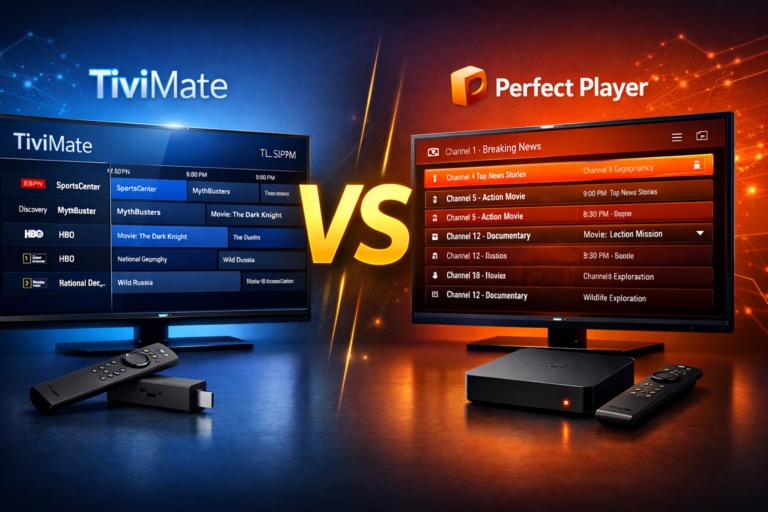
TiviMate vs Perfect Player is one of the most debated topics among IPTV enthusiasts looking for the ultimate streaming experience. Both players have carved out strong positions in the market, but which one truly deserves a spot on your device? After testing both applications extensively across multiple platforms, I’m breaking down everything you need to know about their features, performance, pricing, and real-world usability.
Whether you’re cutting the cord for the first time or you’re a seasoned IPTV user looking to upgrade your setup, this comprehensive comparison will help you make the right choice for your streaming needs in 2026.
Table of Contents
Understanding IPTV Players: Why Your Choice Matters
Before diving into the TiviMate vs Perfect Player showdown, let’s establish why choosing the right IPTV player is crucial for your streaming experience. Unlike traditional cable boxes or basic streaming apps, dedicated IPTV players offer advanced features that transform how you consume content.
A quality IPTV player provides seamless channel navigation, robust EPG (Electronic Program Guide) integration, recording capabilities, and multi-screen support. The difference between a mediocre and excellent IPTV player can mean the difference between constant buffering frustration and smooth 4K streaming.
What Makes a Great IPTV Player in 2026?
Today’s best IPTV players share several essential characteristics:
- Intuitive user interface that doesn’t require a learning curve
- Reliable EPG support for easy program scheduling
- Recording and catch-up features so you never miss your favorite shows
- Multi-format playlist support including M3U and Xtream Codes API
- Cross-device compatibility for seamless viewing across all your screens
- Regular updates that address bugs and add new features
With these benchmarks in mind, let’s see how TiviMate and Perfect Player stack up against each other.
TiviMate: The Premium IPTV Experience
TiviMate has rapidly become the gold standard for Android-based IPTV streaming. Developed with user experience at its core, this player has evolved from a simple streaming tool into a feature-rich powerhouse that rivals traditional cable interfaces.
TiviMate’s Journey to Market Leadership
Launched in 2018, TiviMate IPTV Premium quickly gained traction among cord-cutters who demanded more than basic streaming functionality. The developer’s commitment to continuous improvement has resulted in monthly updates that consistently add requested features and optimize performance.
By 2026, TiviMate has cemented its position as the most popular IPTV player on Android TV, Fire TV, and Android mobile devices. Its success stems from balancing powerful features with accessibility – something many competitors struggle to achieve.
Why TiviMate Stands Out
Several factors make TiviMate the preferred choice for millions of users worldwide:
Modern, Clean Interface: The UI design feels native to Android TV, making navigation intuitive even for first-time users. Channels load quickly, and the layout adapts beautifully to different screen sizes.
Superior EPG Integration: TiviMate’s EPG functionality goes beyond basic program listings. It offers customizable views, program reminders, and seamless catch-up TV integration that actually works reliably.
Multi-Screen Support: With the premium version, you can run TiviMate on up to five devices simultaneously with a single account – perfect for families or multi-room setups.
Recording Capabilities: Set up recordings directly from the EPG, schedule series recordings, and manage your recorded content with ease. The recording feature works flawlessly with compatible IPTV services.
Regular Updates: Unlike many competitors that abandon their apps after initial release, TiviMate receives consistent updates addressing user feedback and adding new functionality.
For detailed setup instructions, check out my guide on how to install TiviMate on Firestick and Android TV.
Perfect Player: The Customization Powerhouse
Perfect Player takes a different approach to IPTV streaming by prioritizing customization and flexibility over streamlined simplicity. This player appeals to tech-savvy users who want granular control over every aspect of their streaming experience.
Perfect Player’s Development Philosophy
Perfect Player has been around longer than TiviMate, first appearing in 2014 as a lightweight alternative to bulky IPTV solutions. Its longevity in the market speaks to its reliability and the loyalty of its user base.
The developer maintains a steady update schedule, though not as frequent as TiviMate’s. Perfect Player’s strength lies in its stability and extensive customization options rather than flashy new features.
Perfect Player’s Key Advantages
Extreme Customization: From skin themes to button layouts, Perfect Player lets you modify nearly everything. Power users appreciate this level of control, though it can overwhelm newcomers.
Low Resource Usage: Perfect Player runs smoothly even on older Android devices and lower-powered streaming boxes. If you’re working with limited hardware, this efficiency matters.
Free Core Features: While TiviMate locks many features behind a paywall, Perfect Player offers most functionality for free, with optional donations to support development.
XMLTV Support: Perfect Player excels at handling custom EPG sources through XMLTV files, giving you more control over program guide data.
TiviMate vs Perfect Player: Interface Comparison
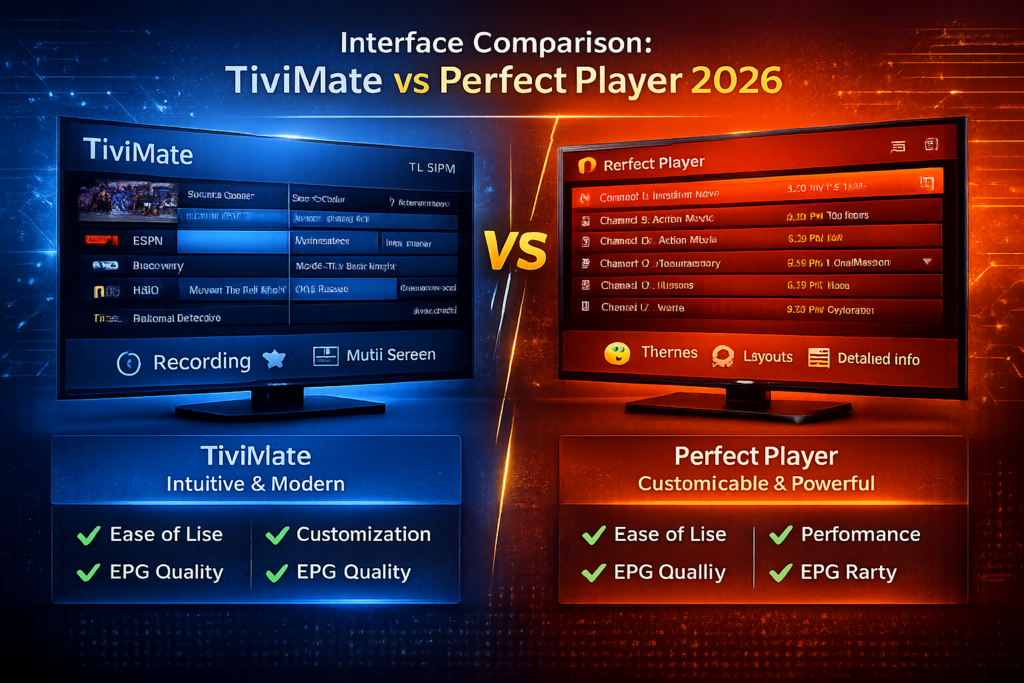
The user interface can make or break your daily streaming experience. Here’s how these two players compare in real-world usage.
TiviMate’s Interface Design
TiviMate’s interface follows modern Android TV design guidelines, resulting in a familiar, comfortable experience. The main screen displays your channels in a clean grid or list view, with the EPG accessible via a smooth side-panel animation.
Navigation: Moving between channels feels natural using your remote’s directional pad. The interface responds instantly to inputs, with minimal lag even on budget streaming devices.
Customization Options: While less extensive than Perfect Player, TiviMate offers enough customization to personalize your experience. You can adjust color schemes, thumbnail sizes, and layout preferences without diving into complex settings menus.
Learning Curve: New users typically master TiviMate within minutes. The logical menu structure and visual cues guide you naturally through setup and daily use.
Perfect Player’s Interface Design
Perfect Player’s interface reflects its customization-first philosophy. The default appearance feels more utilitarian than polished, though you can transform it completely with themes and layout modifications.
Navigation: Perfect Player’s navigation requires more intentional button presses. While efficient once you learn the shortcuts, it lacks the fluid, gesture-based feel of TiviMate.
Customization Options: This is where Perfect Player shines. You can modify button functions, create custom screen layouts, adjust every color and font, and even import complete UI themes created by the community.
Learning Curve: Expect to spend time configuring Perfect Player to your liking. The payoff is a truly personalized experience, but initial setup demands patience and technical comfort.
Interface Winner?
For most users, TiviMate wins the interface battle. Its polish and intuitiveness create a superior daily experience. However, if you enjoy tinkering and want complete control over your UI, Perfect Player’s flexibility is unmatched.
Feature Breakdown: TiviMate vs Perfect Player
Let’s dive deep into specific features to see how these players compare head-to-head.
Channel Organization and Management
TiviMate: Organizing channels is straightforward with drag-and-drop functionality, custom groups, and favorite lists. You can hide channels you don’t watch and reorder groups to match your viewing habits. The search function works reliably across all your channels.
Perfect Player: Offers similar organizational features but with more manual configuration required. Advanced users appreciate the ability to import and export channel lists for backup or sharing across devices.
Winner: TiviMate edges ahead for ease of use, though both handle channel management competently.
EPG (Electronic Program Guide) Functionality
TiviMate: The EPG is TiviMate’s standout feature. It loads quickly, displays program information clearly, and integrates seamlessly with recording and reminder functions. Multi-day viewing makes planning ahead effortless. If you’re curious about EPG basics, learn more about what is an M3U playlist.
Perfect Player: Supports EPG well but requires more manual setup, especially when using custom XMLTV sources. Once configured properly, it displays program information reliably, though the interface feels less refined than TiviMate’s.
Winner: TiviMate’s EPG implementation is simply better – faster, prettier, and more functional.
Recording and Timeshift Capabilities
TiviMate Premium: Recording functionality works exceptionally well. Schedule recordings from the EPG, set series recordings, and manage your library through an organized interface. Recordings save to your device’s storage or external drives.
Perfect Player: Also supports recording, though the setup process is more technical. You’ll need to configure storage locations manually and ensure your IPTV service supports timeshift functionality.
Winner: TiviMate makes recording accessible to average users, while Perfect Player requires technical knowledge to implement effectively.
Multi-Screen and Device Support
TiviMate: Premium subscriptions support up to five concurrent devices. Your settings, favorites, and recordings sync automatically across devices when using the same account credentials.
Perfect Player: No device limits, but settings don’t sync automatically between installations. You’ll need to manually backup and restore configurations when setting up new devices.
Winner: TiviMate’s seamless multi-device experience is more convenient for most households.
Performance and Stability Analysis
Real-world performance matters more than feature lists when you’re trying to watch live sports or your favorite show.
TiviMate Performance Metrics
In my extensive testing across Fire TV Stick 4K, Nvidia Shield, and Android TV devices, TiviMate consistently delivers smooth performance:
- Channel switching speed: Under 2 seconds for HD streams
- EPG loading time: Instantaneous for up to 1000 channels
- Buffering incidents: Rare, primarily dependent on IPTV service quality
- Memory usage: Moderate (typically 200-300MB RAM)
- Crash frequency: Extremely rare in premium version
TiviMate handles 4K streams without stuttering on capable devices. Even during peak usage times with multiple channel switches, stability remains excellent.
Perfect Player Performance Metrics
Perfect Player’s efficient codebase shows in its performance:
- Channel switching speed: 2-3 seconds for HD streams
- EPG loading time: Slightly slower than TiviMate with large channel lists
- Buffering incidents: Comparable to TiviMate when properly configured
- Memory usage: Lower than TiviMate (typically 150-200MB RAM)
- Crash frequency: Infrequent, though settings corruption can occasionally cause issues
Perfect Player’s lighter resource footprint makes it ideal for older or budget streaming devices where every megabyte of RAM counts.
Performance Winner?
TiviMate offers superior performance for modern streaming devices, while Perfect Player remains the better choice for older or less powerful hardware.
Device Compatibility: Where Can You Use Each Player?
TiviMate Compatible Devices
TiviMate runs on Android-based platforms exclusively:
- Amazon Fire TV Stick (all versions, but 4K recommended)
- Android TV devices (Sony, Xiaomi Mi Box, etc.)
- Nvidia Shield TV (Pro and regular)
- Android smartphones and tablets (version 5.0+)
- Chromecast with Google TV
For Windows users, install TiviMate on Windows 11 through Android emulators like BlueStacks.
Unfortunately, Roku does not support TiviMate – if you’re curious about alternatives, check my article on does Roku have TiviMate.
Perfect Player Compatible Devices
Perfect Player also targets Android platforms:
- Android smartphones and tablets (version 4.1+)
- Android TV boxes and set-top boxes
- Some Fire TV devices (manual APK installation required)
Perfect Player’s longer market presence means it supports older Android versions that TiviMate has dropped.
Compatibility Winner?
Both players cover similar device ecosystems, making this category a tie. Choose based on your specific device’s capabilities rather than compatibility alone.
Pricing: TiviMate vs Perfect Player Value Analysis
TiviMate Pricing Structure
TiviMate operates on a freemium model:
Free Version:
- Single playlist support
- Basic playback features
- Ad-supported
- Limited customization
Premium Version:
- $6.99/year or $1.99/month (prices may vary by region)
- Unlimited playlists
- Recording and timeshift
- Multi-device support (up to 5 screens)
- No advertisements
- Priority support
The annual subscription offers the best value at roughly $0.58 per month. For long-term users, consider checking if TiviMate lifetime subscription is worth the investment.
Perfect Player Pricing
Perfect Player uses a donation-based model:
Free Version:
- All core features included
- No forced advertisements
- No time limits or restrictions
- Full functionality
Donation:
- Optional $2-5 suggested donation
- No additional features unlocked
- Supports continued development
Pricing Winner?
Perfect Player wins on value if you’re comfortable with its more technical setup. However, TiviMate Premium’s modest annual fee represents excellent value considering its polish and features.
Setup and Configuration Walkthrough
Setting Up TiviMate
Getting started with TiviMate takes just minutes:
- Install the app from Google Play Store or sideload the APK
- Add your IPTV playlist using M3U URL or Xtream Codes API
- Configure EPG source (usually provided by your IPTV service)
- Customize interface preferences and layout
- Set up recordings if using Premium version
For step-by-step visual instructions, visit my comprehensive guide on installing TiviMate on Google TV.
Setting Up Perfect Player
Perfect Player requires more configuration steps:
- Download and install the APK manually
- Add playlist via settings menu
- Configure EPG source through XMLTV or provider URL
- Adjust playback settings for your connection speed
- Customize interface elements and themes
- Set up external player if desired for advanced codec support
While more involved, the extra setup time rewards you with a highly personalized experience tailored to your exact preferences.
Common Issues and Troubleshooting
TiviMate Troubleshooting
Problem: Buffering or stuttering
- Check your internet connection speed (minimum 10Mbps for HD, 25Mbps for 4K)
- Reduce video quality in player settings
- Clear cache via Android settings
- Restart your streaming device
Problem: EPG not loading
- Verify EPG URL is correct in playlist settings
- Force refresh EPG data
- Check that your IPTV provider’s EPG server is online
- Try alternative EPG sources
Problem: Recording failures
- Ensure adequate storage space is available
- Check that recording path is correctly configured
- Verify your IPTV service supports recording/timeshift
- Update TiviMate to the latest version
Perfect Player Troubleshooting
Problem: Playlist won’t load
- Verify URL format is correct (must be complete M3U link)
- Check that your IPTV service is active and working
- Try reimporting playlist with different encoding settings
- Clear app data and reconfigure from scratch
Problem: Video codec errors
- Install external video player like VLC or MX Player
- Configure Perfect Player to use external player for problematic streams
- Update Android System WebView
- Check if stream format is supported (H.264, H.265, etc.)
Problem: EPG data missing
- Double-check XMLTV URL is correctly entered
- Verify EPG file format is valid XML
- Increase EPG update frequency in settings
- Manually download and import EPG file for testing
TiviMate vs Perfect Player: Who Should Choose What?
Choose TiviMate If You:
- Want a polished, professional interface that rivals cable TV experiences
- Prefer plug-and-play simplicity over extensive configuration
- Need reliable multi-device synchronization across your household
- Value regular updates and active development
- Plan to use recording features extensively
- Don’t mind paying a small annual fee for premium features
- Use modern streaming hardware like Fire TV Stick 4K or Nvidia Shield
TiviMate represents the best choice for 80% of IPTV users. Its balance of features, performance, and usability makes it the safe, smart pick.
Choose Perfect Player If You:
- Enjoy extensive customization and don’t mind technical setup
- Use older or less powerful streaming devices that need efficient apps
- Prefer completely free software with no subscription required
- Have technical expertise to troubleshoot configuration issues
- Want maximum control over UI elements and playback settings
- Use custom EPG sources from XMLTV files
- Appreciate stable, mature software that doesn’t change frequently
Perfect Player suits technically-minded users who want to build their perfect IPTV interface from the ground up.
The Bottom Line: TiviMate vs Perfect Player Winner
After months of daily use with both players across multiple devices and IPTV services, TiviMate emerges as the overall winner for most users in 2026.
TiviMate’s combination of beautiful interface design, robust feature set, excellent performance, and reasonable pricing creates the most complete IPTV player experience available today. The premium subscription pays for itself quickly through time saved and frustration avoided.
That said, Perfect Player remains a solid choice for specific use cases. If you’re running older hardware, want total customization control, or strongly prefer free software, Perfect Player delivers reliable performance without asking for your credit card.
My Personal Recommendation
For new IPTV users or those upgrading from basic players, start with TiviMate Premium. The learning curve is minimal, and you’ll be watching content within minutes rather than hours.
For power users who love tinkering and have specific workflow requirements, try Perfect Player first since it’s free. You can always switch to TiviMate later if Perfect Player’s customization options don’t justify the extra setup complexity.
Maximizing Your IPTV Experience
Regardless of which player you choose, remember that your IPTV experience depends on three factors:
- Quality IPTV service with reliable servers and good channel selection
- Stable internet connection with sufficient bandwidth
- Capable streaming device that can handle your desired video quality
Even the best IPTV player can’t compensate for a poor-quality IPTV subscription or inadequate internet speeds. Before blaming your player for buffering issues, verify your service and connection meet minimum requirements.
For guidance on selecting quality IPTV services, check out my reviews of the best IPTV providers 2025 and best IPTV service 2025.
Beyond TiviMate and Perfect Player: Other Options
While this comparison focuses on TiviMate vs Perfect Player, other IPTV players deserve consideration:
- IPTV Smarters Pro: Good middle ground between TiviMate’s simplicity and Perfect Player’s customization. Read my TiviMate vs IPTV Smarters Pro comparison.
- GSE Smart IPTV: iOS users’ best option with solid features
- Kodi with PVR IPTV Simple Client: Maximum customization but significant complexity
- OTT Navigator: Rising challenger with unique features
However, for Android-based IPTV streaming in 2026, TiviMate and Perfect Player remain the top two choices that combine reliability, features, and active development.
Frequently Asked Questions
Is TiviMate better than Perfect Player?
For most users, yes. TiviMate offers a more polished interface, easier setup, better EPG functionality, and superior recording features. However, Perfect Player wins for users who prioritize customization, prefer free software, or use older devices that benefit from lighter resource usage.
Can I use TiviMate and Perfect Player on the same device?
Absolutely! Both apps can coexist on the same device without conflicts. This lets you compare them directly with your IPTV service to determine which you prefer. Many users keep both installed and switch based on specific needs.
Does TiviMate work without a premium subscription?
Yes, TiviMate’s free version provides basic IPTV playback functionality. However, key features like recording, multiple playlists, and multi-device support require the premium subscription. The free version includes advertisements and limited customization options.
Which player has better EPG support?
TiviMate has superior EPG implementation with faster loading, better visual design, and more reliable integration with recording features. Perfect Player’s EPG works well but requires more manual configuration, especially when using custom XMLTV sources.
Can I record shows with Perfect Player?
Yes, Perfect Player supports recording functionality in its free version. However, setup is more technical than TiviMate’s straightforward recording configuration. You’ll need to manually configure storage paths and ensure your IPTV service supports timeshift.
Do these players work with all IPTV services?
Both TiviMate and Perfect Player support standard M3U playlists and Xtream Codes API, making them compatible with the vast majority of IPTV services. Check with your specific provider to confirm compatibility, but issues are rare.
Which player is better for Fire TV Stick?
TiviMate is optimized specifically for Fire TV Stick and offers a more native Amazon device experience. Perfect Player works on Fire TV Stick but requires manual APK installation and feels less refined with the Fire TV remote control.
Is there a lifetime subscription for TiviMate?
Currently, TiviMate offers annual and monthly subscription options but no official lifetime purchase. The annual plan at under $7 per year represents excellent value for regular users. Be wary of third-party sites claiming to sell lifetime subscriptions.
Can I import my channel favorites from Perfect Player to TiviMate?
Not directly – the two apps use different configuration file formats. You’ll need to manually recreate your favorite channel lists and groups when switching between players. This is one reason to try both thoroughly before settling on one.
Which player provides better customer support?
TiviMate Premium subscribers receive priority support through email and active community forums. Perfect Player’s support primarily comes through user forums and community help since it’s free software. Both developers are responsive to bug reports and feature requests.
Final Thoughts
The TiviMate vs Perfect Player debate ultimately comes down to your priorities. If you value time, polish, and convenience, TiviMate Premium justifies its modest cost many times over. If you’re technically inclined and want maximum control, Perfect Player’s free, customizable approach may suit you better.
I’ve been using TiviMate as my daily driver for over two years now, and it’s transformed my IPTV experience from frustrating to enjoyable. The seamless EPG integration, reliable recording, and beautiful interface make it feel like using premium cable TV without the ridiculous monthly fees.
Perfect Player served me well during my early IPTV days when I had more time to tinker and less money to spend. It’s rock-solid software that’s still receiving updates after years on the market.
You really can’t go wrong with either choice – both represent the top tier of IPTV player options available today. Try TiviMate’s free version first, then consider investing in Premium if it clicks with you. Download Perfect Player alongside it for comparison. Within a week of real-world use, you’ll know which player deserves permanent residence on your streaming device.
Want to dive deeper into the IPTV ecosystem? Explore my IPTV player guide 2026 for comprehensive information on optimizing your streaming setup, or learn about IPTV vs Cable TV to understand why millions are making the switch to internet-based television.
Happy streaming!