TiviMate vs Plex for IPTV streaming represents one of the biggest debates among cord-cutters looking to optimize their live TV experience. Both platforms offer unique approaches to IPTV viewing, but they’re designed for fundamentally different purposes. Understanding which one fits your needs can save you countless hours of frustration and deliver the smooth streaming experience you deserve.
As an IPTV expert who’s tested both platforms extensively, I’ll break down the real differences between TiviMate and Plex for IPTV streaming. This comparison covers ease of setup, performance, features, device compatibility, and ultimately helps you decide which platform deserves a place in your streaming setup.
Table of Contents
Understanding TiviMate and Plex: The Core Differences
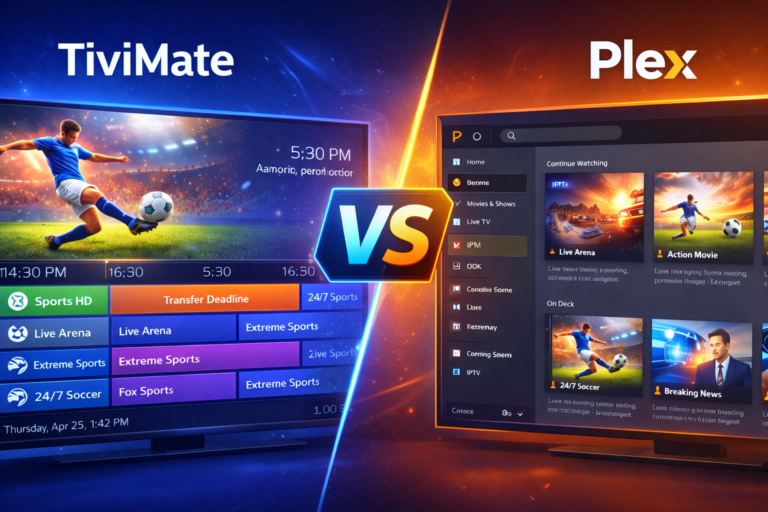
TiviMate is a dedicated IPTV player built specifically for live television streaming on Android devices. It focuses exclusively on delivering the best possible IPTV experience with features like customizable EPG, recording capabilities, multi-view support, and beautiful user interfaces designed for remote control navigation.
Plex, on the other hand, is primarily a media server platform designed to organize and stream your personal media library across devices. It excels at managing movies, TV shows, music, and photos stored on your computer or NAS device. IPTV support in Plex exists as an add-on feature rather than its core functionality, requiring third-party tools and significant configuration.
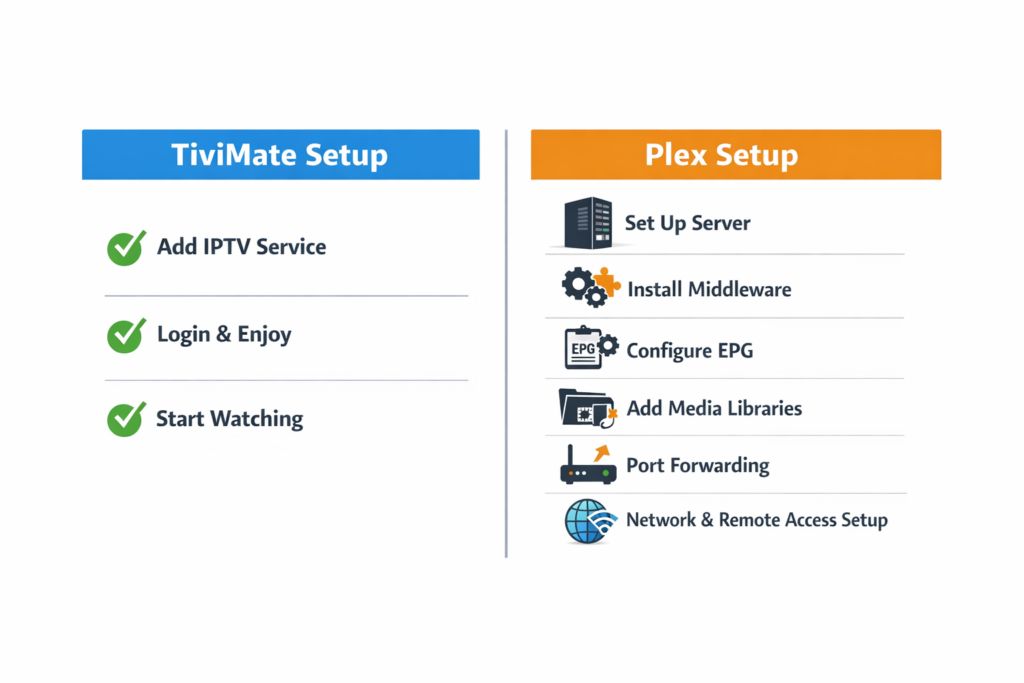
This fundamental difference shapes everything about how these platforms handle IPTV streaming. TiviMate offers instant setup with M3U playlists or Xtream Codes credentials, while Plex requires installing middleware tools like xTeVe or Threadfin to bridge IPTV streams into its Live TV framework. The complexity difference becomes apparent from the very first setup step.
TiviMate vs Plex for IPTV: Setup and Configuration
TiviMate Setup Simplicity
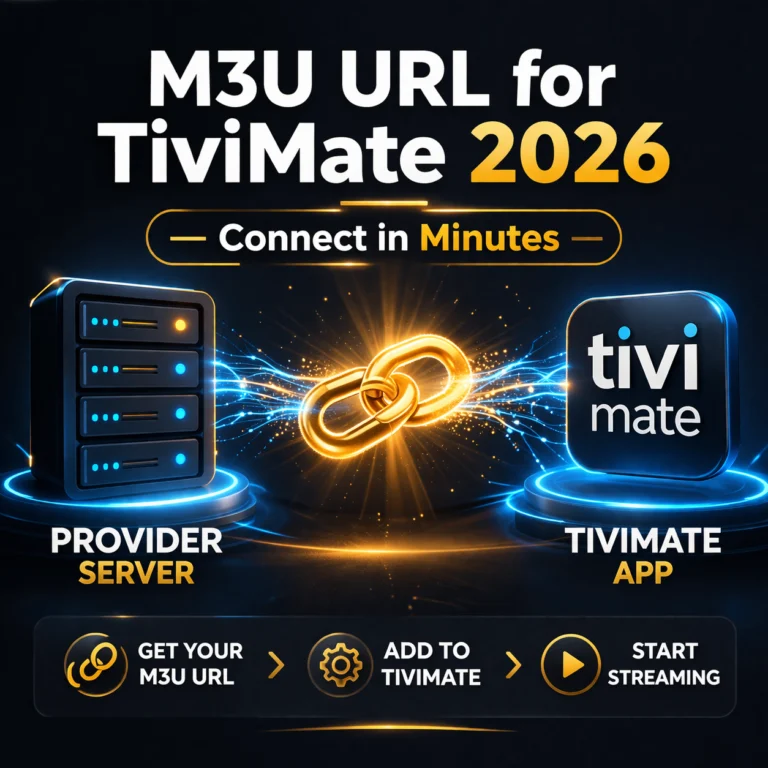
Setting up IPTV in TiviMate takes literally minutes even for complete beginners. You download the app from Google Play Store, open it, navigate to the playlist section, and add your IPTV provider’s M3U URL or Xtream Codes credentials. TiviMate immediately imports your channels, downloads the EPG data, and presents everything in a polished, ready-to-use interface.
The straightforward process means you’re watching live TV within five minutes of deciding to try TiviMate. No complicated server configurations, no third-party tools, and no technical knowledge required beyond copying and pasting your IPTV credentials. This simplicity makes TiviMate the obvious choice for users who just want to watch television without becoming IT experts.
TiviMate supports both M3U playlists and Xtream Codes API, giving you flexibility in how you connect to your IPTV provider. The Xtream Codes integration provides better organization, automatic EPG updates, and access to VOD libraries if your provider supports them. Everything works seamlessly without additional configuration.
Plex IPTV Complexity
Plex IPTV setup requires significantly more technical knowledge and troubleshooting patience. First, you need a Plex Pass subscription to access Live TV and DVR features. Then you must install and configure third-party middleware like xTeVe, Threadfin, or the deprecated xSteVe to convert IPTV streams into a format Plex can understand.
This middleware runs as a separate application that sits between your IPTV source and Plex, translating M3U playlists into virtual TV tuners. You’ll spend time configuring proxy settings, managing EPG mappings, troubleshooting stream compatibility issues, and potentially dealing with transcoding problems. The process can take hours even for technically proficient users.
Channel mapping in Plex often requires manual intervention to ensure EPG data matches correctly. You might find channels missing metadata, incorrect program information, or streams that won’t play despite working perfectly in dedicated IPTV players. Each issue requires diving into configuration files and forums seeking solutions.
For detailed setup help with TiviMate, check out our guide on the best VPN for TiviMate which includes configuration tips for optimal performance and security.
Performance Comparison: TiviMate vs Plex for IPTV
Streaming Quality and Reliability
TiviMate excels at smooth, buffer-free playback because it’s optimized specifically for IPTV streaming. The player handles stream protocols efficiently, supports hardware decoding on compatible devices, and includes buffer size customization for adjusting to your network conditions. Most users report rock-solid playback with minimal buffering on quality IPTV services.
Plex struggles with IPTV performance compared to dedicated players. The middleware layer adds processing overhead and potential points of failure. Streams that play perfectly in TiviMate might buffer or fail entirely in Plex due to transcoding issues, proxy problems, or compatibility mismatches between the middleware and Plex’s Live TV system.
Multiple streams simultaneously pose challenges for Plex that TiviMate handles effortlessly. If you want to watch different channels on different devices at the same time, TiviMate simply connects each device directly to your IPTV provider. Plex routes everything through your server, consuming server resources and potentially causing performance degradation.
Channel Loading and Navigation Speed
TiviMate loads channel lists almost instantly, even with thousands of channels in your playlist. Switching between channels happens in one to two seconds, and the EPG displays smoothly without lag. The interface remains responsive regardless of playlist size, making channel surfing feel natural and effortless.
Plex experiences noticeable slowdowns with large IPTV channel lists. Loading the Live TV guide can take several seconds, and navigating through hundreds or thousands of channels feels sluggish compared to TiviMate. This performance difference becomes frustrating during casual channel browsing or trying to find specific content quickly.
EPG refresh times differ dramatically between the platforms. TiviMate updates EPG data in the background without disrupting your viewing experience. Plex’s EPG updates can cause temporary interface freezes and require more manual intervention to ensure data stays current and accurate.
Feature Comparison: What Each Platform Offers
TiviMate Exclusive Features
TiviMate Premium unlocks recording capabilities that let you capture live TV directly on your Android device. You can schedule recordings using the EPG, set series recordings, and manage your recorded content within the app. The feature works reliably without requiring separate server infrastructure.
Multi-view functionality in TiviMate allows watching multiple channels simultaneously on the same screen. You can create custom layouts with up to four channels displayed at once, perfect for sports fans wanting to follow multiple games or monitor different news channels. This feature doesn’t exist in Plex’s IPTV implementation.
Catch-up TV support in TiviMate gives you access to previously aired content when your IPTV provider supports this feature. You can rewind live TV, browse program archives, and watch shows from earlier in the day. The interface makes catch-up content easily accessible without leaving the main app.
Customization options in TiviMate let you personalize nearly every aspect of the viewing experience. You can choose from multiple EPG layouts, customize color schemes, adjust font sizes, create favorite groups, hide channels, and set up parental controls. The level of customization far exceeds what Plex offers for IPTV.
Plex Advantages for Mixed Media
Plex shines when you want to combine your personal media library with IPTV content in a unified interface. If you have large movie and TV show collections stored locally, Plex provides beautiful metadata, artwork, and organizational tools that create a polished viewing experience for your owned content.
DVR functionality in Plex offers more sophisticated recording options than TiviMate when properly configured. You can set recording quality levels, automatic commercial skip markers, and extensive library management features for recorded content. However, these features work better with traditional TV tuners than IPTV streams.
Remote access represents one of Plex’s strongest features. You can access your media library and IPTV streams from anywhere with internet connectivity. This capability requires running a Plex server, but it enables watching your content while traveling or away from home.
Cross-platform consistency in Plex means the same interface works across Windows, Mac, Linux, mobile devices, and smart TVs. TiviMate focuses primarily on Android platforms, limiting your device options compared to Plex’s broader compatibility.
Device Compatibility and Platform Support
TiviMate runs exclusively on Android-based devices including Fire TV Stick, Android TV boxes, Android phones, tablets, and NVIDIA Shield. This Android limitation means you can’t use TiviMate on iOS devices, Apple TV, Roku, or smart TVs without Android TV operating systems.
Windows users can run TiviMate through Android emulators, but this workaround adds complexity and performance overhead. For a better Windows experience, check out our guide on how to install TiviMate on Windows 11 for step-by-step instructions.
Plex supports virtually every platform including iOS, Android, Windows, Mac, Linux, Xbox, PlayStation, Roku, Apple TV, and most smart TV brands. This extensive compatibility makes Plex more versatile if you use diverse devices throughout your home or want flexibility in viewing options.
However, Plex requires running a server application on a computer or NAS device that stays powered on to stream content. TiviMate works independently on each device without requiring central server infrastructure, simplifying your overall setup and reducing power consumption.
Cost Comparison: Free vs Premium Features
TiviMate offers a generous free version with basic IPTV playback, EPG support, and standard features. The free tier lets you test the app thoroughly before deciding if premium features justify the cost. Many users find the free version completely adequate for their needs.
TiviMate Premium costs around five dollars per year and unlocks recording, unlimited playlists, custom layouts, premium themes, and removes the playlist limitation. This one-time annual fee provides excellent value compared to monthly subscriptions required for comparable features in other platforms.
Plex Free provides basic media server functionality but lacks Live TV and DVR features essential for IPTV usage. To access these capabilities, you need a Plex Pass subscription costing approximately five dollars monthly or forty dollars annually. This ongoing cost exceeds TiviMate Premium, especially considering the additional complexity.
Third-party middleware tools for Plex IPTV integration are generally free and open-source, but they require time investment to configure and maintain. The hidden cost comes in troubleshooting hours and technical knowledge needed to keep everything working smoothly.
Which Should You Choose: TiviMate or Plex for IPTV?
Choose TiviMate if your primary goal is watching IPTV with the best possible performance and user experience. It’s the clear winner for dedicated IPTV viewing, offering superior speed, reliability, ease of setup, and features specifically designed for live television streaming. The Android limitation might be restrictive, but for supported platforms, nothing beats TiviMate’s focused approach.
Choose Plex if you already run a Plex media server for your personal content and want to add IPTV as a secondary feature within a unified interface. The additional setup complexity and performance compromises become worthwhile trade-offs if consolidating everything into one platform matters more than optimal IPTV performance.
Consider using both platforms for different purposes. Many users run TiviMate on Android devices for primary IPTV viewing while maintaining Plex for their media libraries and occasional IPTV access on non-Android devices. This hybrid approach leverages each platform’s strengths without forcing either into roles they weren’t designed for.
The IPTV community overwhelmingly recommends TiviMate for anyone prioritizing live TV streaming quality. Forum discussions consistently show experienced users choosing dedicated IPTV players over trying to force Plex into IPTV service. Plex remains unbeatable for media library management but struggles to match purpose-built IPTV solutions.
Final Verdict: TiviMate Wins for IPTV Streaming
After extensive testing and community feedback analysis, TiviMate emerges as the superior choice for IPTV streaming. Its focused design, instant setup, smooth performance, and IPTV-specific features deliver an experience that Plex simply can’t match despite its broader capabilities in other areas.
Plex continues excelling at what it was designed for—managing and streaming personal media collections across devices. Attempting to shoehorn IPTV functionality into Plex creates unnecessary complexity, performance issues, and frustration that dedicated IPTV players like TiviMate eliminate completely.
Your choice ultimately depends on your priorities and existing setup. If you want the best IPTV experience available on Android platforms, TiviMate is the obvious answer. If you need IPTV on non-Android devices and already run Plex, the integration becomes worth attempting despite its limitations.
For most users reading this comparison, downloading TiviMate and trying it with your IPTV service will immediately demonstrate why it’s become the community’s favorite IPTV player. The combination of simplicity, performance, and features creates an experience that makes watching IPTV genuinely enjoyable rather than technically challenging.